
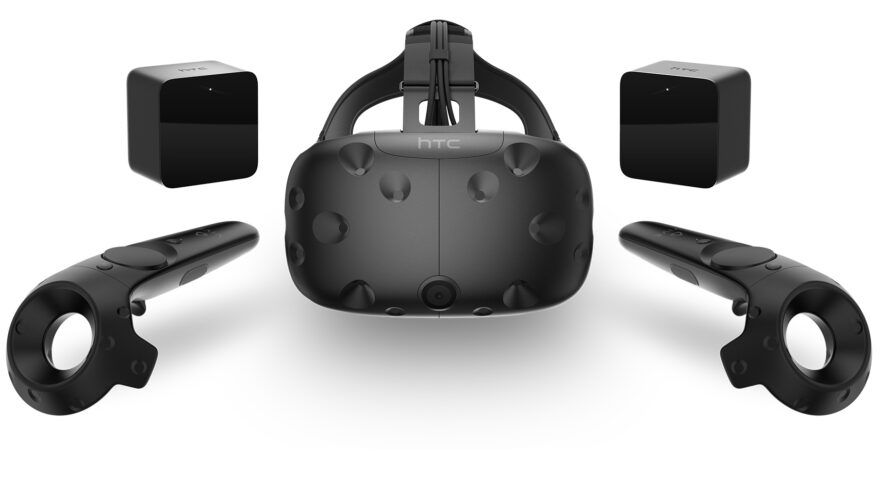
This HTC Vive porn guide shows the realistic SteamVR setup for original Vive owners. VR Porn Dog still recommends the HTC Vive if you already own a working headset, base stations, controllers, and VR-ready Windows PC.
The best method is to download a 180-degree SBS video, launch SteamVR, and play the file locally in DeoVR, Skybox VR, HereSphere, or Whirligig. Streaming can work, but downloaded files are more reliable on a tethered PCVR headset.
If you are buying a headset today, start with the Meta Quest 3S porn setup guide or the Meta Quest 3 porn guide. HTC Vive can still do the job, but new buyers should choose a simpler modern setup.
Method 1: HTC Vive Porn Download for Higher Quality
VR Porn Dog recommends downloading HTC Vive porn before streaming it. Local playback gives cleaner frame pacing, steadier image quality, and full control over projection mode. That matters on original Vive hardware because the display is older and browser handoff can be inconsistent.
- Connect the HTC Vive headset to the PC through the link box.
- Power both base stations and confirm they see the play area.
- Launch SteamVR and wait for the headset, controllers, and base stations to turn green.
- Open a trusted VR porn site with downloadable videos.
- Choose a scene marked 180-degree, SBS, or VR180.
- Download a 4K, 5K, or 6K file first.
- Open DeoVR, Skybox VR, HereSphere, Whirligig, or another SteamVR player.
- Set playback to 180-degree side-by-side.
- Recenter the view before the scene starts.
VR Porn Dog ranks VRPorn.com (Review) as the best first stop for HTC Vive owners. It gives you 42,000+ videos from 380 studios plus 60+ VR porn games included. If you want more options, check our full best VR porn sites ranking.
Downloads are also better for privacy and file control. You can keep scenes in a local folder, rename files by studio and resolution, and avoid leaving playback to a browser tab.
Method 2: HTC Vive Porn Streaming (Backup method)
VR Porn Dog treats streaming as the backup method for HTC Vive porn. It is useful for previews, but quality depends on your desktop browser, site player, internet speed, SteamVR state, and PC load. Downloads still win when you care about clean playback.
- Connect the Vive and confirm SteamVR tracking.
- Open a desktop browser or a VR browser through SteamVR.
- Visit your preferred VR porn site.
- Start with a lower stream quality while testing.
- Select Enter VR or the site’s VR button if available.
- Mirror the desktop in Virtual Desktop or a SteamVR player if WebXR fails.
- Switch to a download if the stream looks soft, flat, or unstable.
Streaming is fine for choosing scenes. It is not the best final workflow on first-generation Vive hardware. The Vive’s wired connection is stable, but browser playback is still more fragile than local file playback.
For easier standalone browser streaming, read the Meta Quest 2 porn guide or the Meta Quest 3 porn guide. Quest headsets handle WebXR streams with fewer moving parts.
Quick Setup Checklist for HTC Vive Porn
VR Porn Dog uses this HTC Vive porn checklist to separate headset setup from video playback. Get SteamVR tracking stable first, then choose the player, video format, resolution target, and upgrade path that fits your PCVR setup.
| Setup Item | Best Choice | Why It Matters |
|---|---|---|
| PC software | SteamVR | Valve lists HTC Vive as a supported SteamVR headset |
| Official setup | VIVE setup flow | Installs VIVE and SteamVR software, then defines the play area |
| Player | DeoVR, Skybox VR, HereSphere, or Whirligig | Handles local 180-degree SBS video better than a normal browser |
| Video format | 180-degree SBS | Most premium VR porn scenes use this format |
| Resolution target | 4K to 6K first | Good match for the original Vive display and older GPUs |
| Best site route | Best VR porn sites | Pick sites with downloads, not only browser streams |
| Upgrade path | Quest 3S or Quest 3 | Easier standalone streaming and sharper panels |
HTC says the Vive setup process includes installing VIVE and SteamVR software, setting up the hardware, and defining the play area. After setup, HTC’s startup flow is simple: open SteamVR, power the base stations, connect the headset through the link box, turn on the controllers, and check for green tracking status.
That official flow matters for adult video too. Do not troubleshoot a porn site until SteamVR already sees the headset, controllers, and base stations correctly.
Best Media Players for HTC Vive Porn
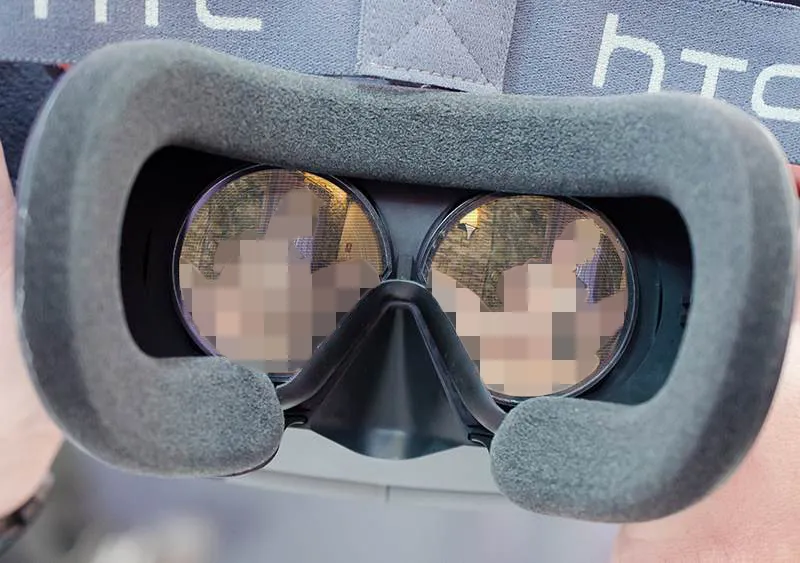
VR Porn Dog recommends DeoVR or Skybox VR for most HTC Vive porn files. HereSphere and Whirligig are better if you want deeper format controls. Virtual Desktop helps when a site works best in a normal desktop browser instead of a VR-native player.
| Player | Best Use | Why It Fits HTC Vive |
|---|---|---|
| DeoVR | General streaming and local files | Familiar adult VR controls and broad SteamVR support |
| Skybox VR | Downloaded file libraries | Simple folder browsing and reliable SBS playback |
| HereSphere | Power users | Strong zoom, projection, and depth controls |
| Whirligig | Manual format tuning | Useful for older or oddly tagged files |
| Virtual Desktop | Browser mirroring | Helps when a site does not hand off cleanly to VR |
| SteamVR desktop view | Quick testing | Good for setup checks, not the best final player |
Start with DeoVR if you want one player. Start with Skybox if you mainly download files and keep a local library.
Use HereSphere or Whirligig when the scene looks close but not quite right. These players make it easier to correct projection, zoom, tilt, and format mismatches.
If a file looks doubled, flat, or warped, do not assume the video is broken. First check whether the player is set to 180-degree SBS instead of 360-degree, over-under, or flat 2D.
Best VR Porn Sites for HTC Vive
VR Porn Dog recommends HTC Vive porn sites that still offer downloads. Original Vive owners should prioritize clean 180-degree files, good format labels, and reliable PC browser support. The Vive can stream, but downloadable scenes make the setup easier to control.
1. VRPorn.com

VRPorn.com is the best first stop for HTC Vive owners because it combines a large multi-studio video library with VR porn games. That matters on a PCVR headset because you can test both video playback and game compatibility from one account.
Choose VRPorn.com if you want the broadest library before dialing in your SteamVR player.
2. WankzVR

WankzVR is a strong HTC Vive pick because the scenes are easy to understand, the studio style is direct, and downloaded files work well with PCVR players.
Choose WankzVR if you want familiar VR porn pacing and a catalog that still fits older PCVR hardware.
3. Czech VR

Czech VR works well for HTC Vive owners who prefer downloaded European studio scenes. The catalog has clear performer pages, strong 180-degree support, and enough variety to test several file qualities.
Choose Czech VR if you want reliable downloads and a Euro VR catalog that rewards local playback.
4. BaDoinkVR

BaDoinkVR remains a good Vive option because its scenes often use close performer framing and strong studio polish. The original Vive display cannot show every benefit of huge files, but good lighting and staging still help.
Choose BaDoinkVR if you want a premium studio with polished roleplay and performer-focused scenes.
Best Video Settings for HTC Vive Porn
VR Porn Dog recommends starting with 4K to 6K 180-degree SBS files on HTC Vive. The original headset has a lower display resolution than current standalone headsets, so smooth playback and correct projection matter more than chasing the largest download.
| Setting | HTC Vive Recommendation | Why |
|---|---|---|
| Format | 180-degree SBS | Standard for most premium VR porn |
| Streaming quality | 4K or 5K first | Easier to test browser and player stability |
| Download quality | 5K or 6K first | Good balance for the original Vive display |
| 8K files | Test only if PC is strong | The headset may not show the full benefit |
| SteamVR render resolution | Start at default | Raise only after playback is stable |
| Projection | 180 SBS unless labeled otherwise | Wrong projection causes warped depth |
| Recenter | Before every scene | Keeps scale and performer distance natural |
The Vive’s display can make compression more obvious because the panel is older. A clean 5K download can look better than a compressed 8K stream.
Frame pacing also matters. If a file stutters, drop the file size before changing every SteamVR setting. A smooth 5K scene is better than an 8K file that loses frames.
HTC Vive Specs That Matter for VR Porn
VR Porn Dog treats the original HTC Vive as a first-generation PCVR headset with useful tracking and dated image clarity. HTC’s official specs list dual AMOLED panels, 1080 x 1200 pixels per eye, a 90Hz refresh rate, a 110-degree field of view, SteamVR Tracking, HDMI, USB 2.0, and base-station room scale.
| Spec | Original HTC Vive |
|---|---|
| Display | Dual AMOLED panels |
| Resolution | 1080 x 1200 pixels per eye |
| Refresh rate | 90Hz |
| Field of view | 110 degrees |
| Tracking | SteamVR base stations |
| Connection | HDMI, USB 2.0, power, link box |
| Room-scale range | 6’6” x 4’11” minimum, 11’5” x 11’5” maximum |
| Best strength | Reliable PCVR tracking |
| Main weakness | Low resolution by current standards |
The official VIVE specs and user guide also lists GTX 1060 or RX 480 class graphics as the baseline. That is enough for basic playback, but heavier 6K and 8K files need more GPU headroom.
The OLED panels still help dark scenes. Black levels can look better than cheap LCD headsets, but the lower resolution and visible screen-door effect make modern headsets sharper.
Should You Upgrade from HTC Vive?
VR Porn Dog recommends upgrading from HTC Vive if VR porn is your main headset use and you want sharper video, easier streaming, or passthrough content. Keep using Vive if your SteamVR setup is stable and you mainly watch downloaded files or play PCVR adult games.
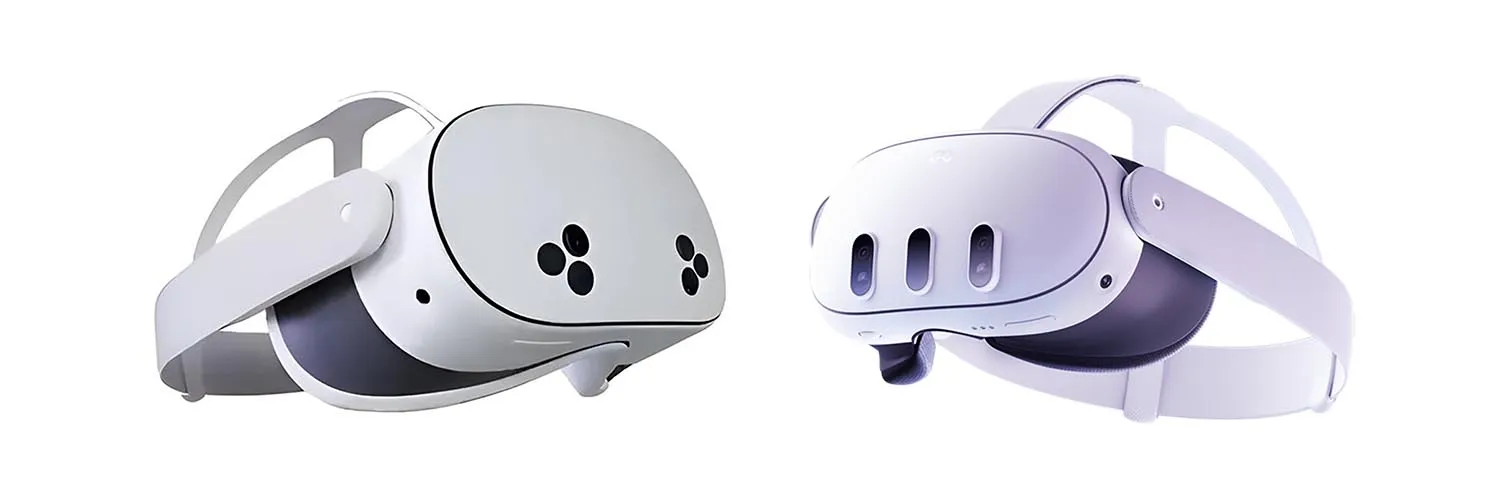
| Headset | Best For | Upgrade Logic |
|---|---|---|
| HTC Vive | Existing PCVR owners | Keep if it works and you already own base stations |
| Valve Index | PCVR games and tracking | Better controllers and smoother PCVR experience |
| Vive Pro 2 | Vive owners staying in the HTC ecosystem | Much sharper PCVR image with familiar tracking |
| Quest 3S | Budget standalone streaming | Easier browser playback with no PC required |
| Quest 3 | Best mainstream standalone clarity | Sharper lenses and simpler adult-site workflow |
| Apple Vision Pro | Premium downloaded video | Very sharp playback, but expensive and less direct for adult workflows |
Do not buy an original Vive as a first VR porn headset unless it is extremely cheap and complete. Missing base stations, broken cables, or failing controllers can erase the savings fast.
If you already own the full kit, the choice is easier. Keep it for SteamVR games and downloaded files. Upgrade when you want wireless viewing, better text clarity, or current app support.
Can You Play VR Porn Games on HTC Vive?
VR Porn Dog still likes HTC Vive for PCVR adult games. The headset runs through SteamVR, uses tracked controllers, and supports room-scale movement. Its age shows in display clarity, but game compatibility remains stronger than its video specs suggest.
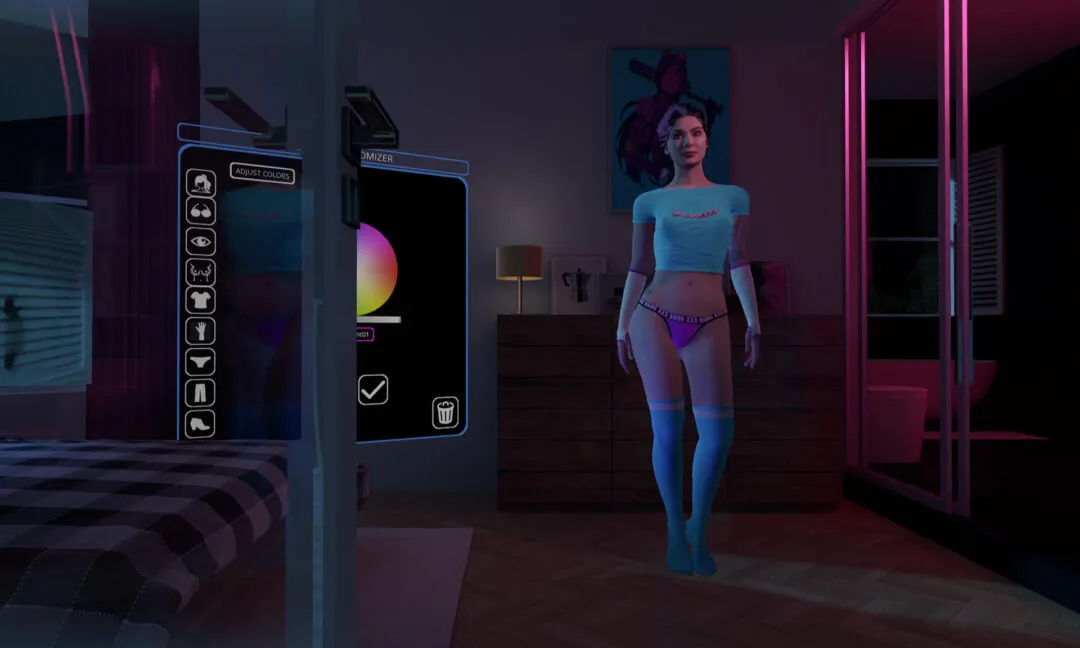
Holodexxx is a good example because it supports SteamVR headsets and benefits from 6DoF movement. A Vive setup lets you walk around photorealistic models instead of staying locked to a seated video view.
Virt-a-Mate is another strong fit. It rewards PC hardware, mod libraries, and controller-based interaction more than standalone headset convenience.
VR Paradise also works through SteamVR. Vive owners should use native DisplayPort playback and keep the cable clear before starting any room-scale session.
Before buying any game, check three points: SteamVR support, GPU requirements, and controller mapping. The Vive headset is often not the bottleneck. The PC decides the result.
Common HTC Vive Porn Problems and Fixes
VR Porn Dog recommends troubleshooting HTC Vive porn in this order: SteamVR tracking, player choice, projection mode, then file quality. If SteamVR cannot see the headset or base stations, the adult site is not the problem yet.
| Problem | Likely Cause | Fix |
|---|---|---|
| Headset not detected | Link box, HDMI, USB, or power issue | Reconnect the link box and restart SteamVR |
| Base station not green | Power, angle, or firmware issue | Power both stations and check SteamVR status |
| Video looks flat | Wrong format mode | Switch to 180-degree SBS |
| Video looks cross-eyed | SBS or over-under mismatch | Try the file’s labeled projection mode |
| Image stutters | File too heavy or PC overloaded | Drop from 8K to 6K or 5K |
| Browser VR button fails | WebXR or browser handoff issue | Download the file or use Virtual Desktop |
| Scene feels too close | Zoom or recenter issue | Reset zoom and recenter before playback |
Keep the setup boring. Use a known player, a normal downloaded file, and a stable SteamVR session before experimenting with huge files or unusual sites.
For more PCVR context, compare the Oculus Rift porn guide, the Windows Mixed Reality porn guide, and the Valve Index porn guide.
HTC Vive Porn FAQ
VR Porn Dog answers the most common HTC Vive porn questions below. These answers cover setup, streaming, downloads, players, adult games, and whether the original Vive still makes sense beside modern headsets.
How do I watch VR porn on HTC Vive?
Connect the Vive through the link box, power the base stations, launch SteamVR, then open a 180-degree SBS file in DeoVR, Skybox VR, HereSphere, Whirligig, or another PCVR player. Recenter the view before watching.
Is HTC Vive still good for VR porn in 2026?
Yes, if you already own one. The original Vive remains useful for downloaded VR porn, SteamVR players, and PCVR adult games. It is not a smart first headset because modern headsets are sharper and easier to use.
Should I stream or download HTC Vive porn?
Download first. Streaming is useful for previews, but downloads give better quality control on a tethered PCVR headset. Local files also make projection, zoom, and recentering easier to fix.
What is the best player for HTC Vive porn?
DeoVR and Skybox VR are the simplest choices. HereSphere and Whirligig are better for manual tuning. Virtual Desktop helps when you need to mirror a normal desktop browser into the headset.
Can HTC Vive play VR porn games?
Yes. HTC Vive can play SteamVR adult games when your PC meets the game’s requirements. Check GPU specs, controller mapping, and room-scale needs before buying.
Should I upgrade from HTC Vive?
Upgrade if you want sharper video, easier streaming, wireless playback, color passthrough, or current standalone apps. Keep the Vive if your PCVR setup works and you mainly use downloaded files or SteamVR games.
Conclusion: Should You Still Use HTC Vive for VR Porn?
VR Porn Dog recommends keeping HTC Vive for VR porn only if you already own a complete working setup. SteamVR, base stations, local files, and PCVR media players still make it useful in 2026.
Do not buy the original Vive as a first VR porn headset now. It needs a PC, external tracking, a cable, and more setup patience than current standalone headsets.
If you already own it, use it well. Download clean 180-degree SBS files, pick the right player, and keep SteamVR stable before judging the content.