
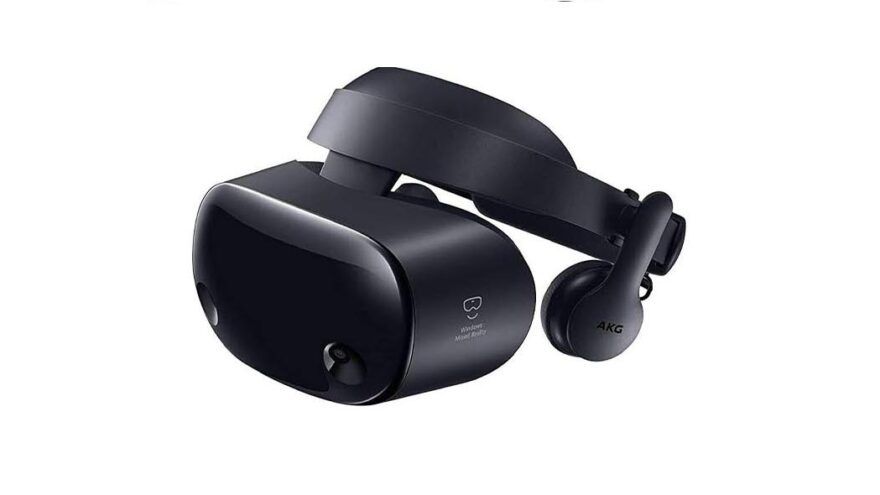
Windows Mixed Reality can still play VR porn in 2026, but VR Porn Dog now treats WMR as legacy PCVR. Microsoft removed Windows Mixed Reality from Windows 11 version 24H2, including Mixed Reality Portal and Windows Mixed Reality for SteamVR. Existing WMR headsets can keep working with SteamVR through November 2026 if they stay on Windows 11 version 23H2, but that comes with a security tradeoff for Home and Pro users.
That changes the recommendation. If you already own an HP Reverb G2, Samsung Odyssey+, Lenovo Explorer, Dell Visor, Acer WMR, Asus WMR, or older HP WMR headset, you can still use it for downloaded VR porn files. Do not treat it as a future-proof adult browsing machine. If you are buying a headset today, choose a Meta Quest 3S, Meta Quest 3, or a current PCVR headset instead.
Method 1: Windows Mixed Reality Porn Streaming (The easiest method)
VR Porn Dog only recommends WMR streaming if your setup already works. Browser-based VR playback can be fragile on legacy WMR, and Windows updates can break the path completely. If the VR button does not launch correctly, switch to SteamVR file playback instead.
- Start your Windows Mixed Reality headset.
- Launch Mixed Reality Portal and confirm tracking works.
- Open Microsoft Edge, Chrome, or another player that works on your current setup.
- Go to VRPorn.com and subscribe or log in.
- Choose a 180-degree VR scene and press the VR button.
- If the site opens in flat mode, download the scene and play it locally through SteamVR.
VR Porn Dog ranks VRPorn.com (Review) as the easiest WMR starting point. Streaming is convenient, but it is the weaker WMR route in 2026. It depends on your browser, WebXR support, site player, Windows version, and SteamVR bridge all behaving together.
Method 2: Windows Mixed Reality Porn Download for Higher Quality
VR Porn Dog recommends downloads as the best Windows Mixed Reality porn method. Downloaded files avoid browser VR failures, preserve more bitrate, and make better use of high-resolution headsets like the HP Reverb G2. This is also the safest path if your WMR setup is already fragile.
- Install Steam, SteamVR, and Windows Mixed Reality for SteamVR.
- Connect your WMR headset and launch Mixed Reality Portal.
- Start SteamVR and confirm the headset appears correctly.
- Install a SteamVR video player such as DeoVR, HereSphere, or Play’a.
- Pick a site from our best VR porn sites ranking and download a scene.
- Open the video from the player’s local files menu.
- Set the projection to 180-degree SBS unless the file label says otherwise.
- Use the highest resolution your PC can play smoothly.
For older 1440p-per-eye WMR headsets, 4K and 5K videos still look fine. For HP Reverb and HP Reverb G2, choose 6K or 8K downloads when available. Store large scenes on an SSD to avoid load delays.
Windows Mixed Reality Status in 2026
VR Porn Dog recommends treating Windows Mixed Reality as a working-but-retired platform. It is fine for existing owners on the right Windows version, but it is no longer a safe new purchase. The critical rule is awkward: WMR needs old Windows support, while adult browsing needs current security updates.
Microsoft’s Windows client deprecation list says WMR is deprecated and removed in Windows 11 version 24H2. Microsoft’s removed features page says the same removal includes Mixed Reality Portal, Windows Mixed Reality for SteamVR, and Steam VR Beta.
| Your setup | WMR porn status | Best move |
|---|---|---|
| Windows 11 version 23H2 Enterprise or Education with WMR installed | Best official WMR holdout through November 2026 | Keep it stable and avoid feature upgrades |
| Windows 11 version 23H2 Home or Pro with WMR installed | WMR may still work, but Home and Pro updates ended on November 11, 2025 | Use local files only, or migrate |
| Windows 11 version 24H2 or newer | Official WMR support removed | Do not expect normal WMR setup to work |
| Windows 10 | WMR may still work, but Windows 10 support ended on October 14, 2025 | Avoid using it as your everyday adult browsing PC |
| New PC build or clean Windows install | Risky for WMR | Migrate to Quest or modern SteamVR hardware |
This is why WMR owners should prioritize downloaded file playback. Download on a supported, updated device when possible. Then play local files on the WMR PC through SteamVR.
WMR Headset Quality for VR Porn
VR Porn Dog rates WMR headset quality by model, not by the WMR name alone. First-generation WMR headsets are usable but dated. Samsung Odyssey models have better contrast. HP Reverb and Reverb G2 are the best WMR choices because their higher resolution makes downloaded VR porn look much sharper.

| WMR headset family | Typical display | VR porn advice |
|---|---|---|
| Acer, Dell Visor, Lenovo Explorer, Asus, first-gen HP | 1440 x 1440 per eye | Good enough for 4K and 5K files |
| Samsung Odyssey / Odyssey+ | 1440 x 1600 per eye | Better blacks, good for 5K and 6K files |
| HP Reverb / Reverb G2 | 2160 x 2160 per eye | Best WMR option, use 6K or 8K downloads |
The weak point is not video quality. The weak point is platform support. WMR tracking, controller pairing, and SteamVR bridge behavior all depend on older software that Microsoft is retiring.
Best VR Porn Sites for Windows Mixed Reality
VR Porn Dog recommends WMR users choose VR porn sites with strong download support. Streaming may work, but downloads give you more control and fewer compatibility problems. A good WMR porn site should offer clear resolution labels, 180-degree SBS files, and reliable local playback.
1. VRPorn.com: Best WMR Starting Point

VRPorn.com is the easiest first stop for Windows Mixed Reality porn because it gives you a large aggregated library and simple headset coverage. Use it for streaming if your WMR browser path still works. Use downloads if SteamVR is more stable on your PC.
2. VR Bangers: Best 8K Downloads

VR Bangers is a strong match for HP Reverb and Reverb G2 users. The higher-resolution WMR headsets can actually show the benefit of clean 6K and 8K files. Download the video instead of relying on compressed streaming.
3. VirtualRealPorn: Best Value Library

VirtualRealPorn is useful for WMR owners who want a broad file library without changing hardware yet. It works best when you download scenes, launch SteamVR, and play local files through a dedicated VR video player.
PCVR Migration Path for WMR Owners
VR Porn Dog recommends WMR owners plan a migration before the headset breaks, Windows updates, or SteamVR bridge support disappears. If you love PCVR downloads, move to current SteamVR hardware. If you want the easiest adult VR setup, move to Quest.
Here is the practical path:
| If you use WMR for… | Best replacement path | Why |
|---|---|---|
| Simple VR porn streaming | Meta Quest 3S | Standalone browser and native player apps |
| Higher-quality downloads | Meta Quest 3 with Link or Virtual Desktop | Better lenses and flexible PCVR support |
| PCVR games plus porn | Valve Index or another SteamVR headset | Native SteamVR path without WMR bridge risk |
| Maximum PCVR clarity | Pimax or Bigscreen Beyond | Higher-end display options for local files |
Do not buy a used Windows Mixed Reality headset as your main adult VR headset in 2026. It can be a cheap spare if you already know the risks, but it is not a future-proof setup.
Common Windows Mixed Reality Porn Problems
VR Porn Dog sees most WMR porn issues come from Windows version mismatches, SteamVR bridge problems, or incorrect video projection settings. Start with the operating system before blaming the video file. If you are on Windows 11 version 24H2 or newer, official WMR support is already gone.
The headset stopped working after a Windows update. Check your Windows version. Windows 11 version 24H2 removed Windows Mixed Reality. A rollback, backup image, or migration may be your only official path.
SteamVR does not detect the headset. Launch Mixed Reality Portal first. Then start SteamVR. Make sure Windows Mixed Reality for SteamVR is installed before opening DeoVR, HereSphere, or Play’a.
The video looks flat or warped. Change the projection mode. Most VR porn downloads use 180-degree side-by-side. Some older files use 360-degree or over-under formats.
The scene stutters. Lower SteamVR resolution, close background apps, and try a lower-resolution file. HP Reverb G2 can show 8K detail, but your GPU still has to decode it.
The VR button is missing in the browser. Use a local player instead. Download the file, start SteamVR, and open the video from local storage.
Are There Good VR Porn Games for WMR?
VR Porn Dog still considers WMR usable for SteamVR adult games if your headset already works. The problem is not game compatibility. The problem is the WMR runtime underneath SteamVR. Once that layer breaks, games and video players both become harder to maintain.
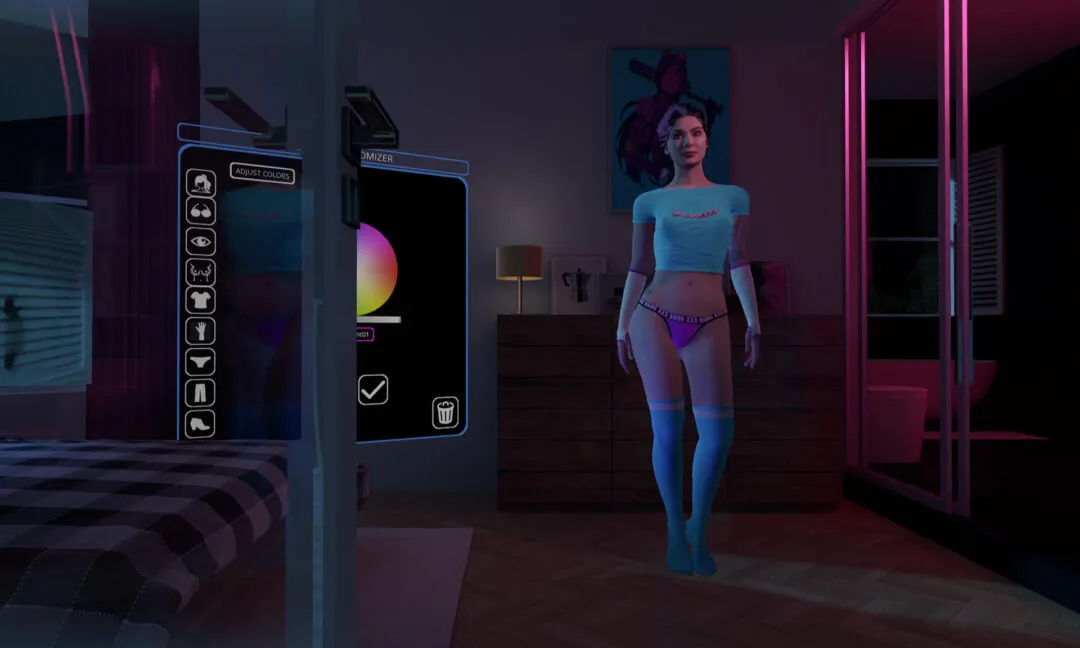
SteamVR games such as Holodexxx, Virt-A-Mate, and Mirage can work on WMR while the headset is still functional. If you play PCVR games often, that is another reason to migrate before November 2026.
See VR Porn Dog’s best VR porn games
Conclusion: Do We Recommend Windows Mixed Reality?
VR Porn Dog only recommends Windows Mixed Reality for people who already own a working headset. Keep using it for SteamVR downloads if your Windows 11 version 23H2 setup is stable. Do not update that PC to Windows 11 version 24H2 or newer if you still need WMR.
New buyers should skip WMR. The platform is retired, browser VR is less predictable, and Microsoft support ends after November 2026. A modern Quest or current SteamVR headset is the better long-term choice.