
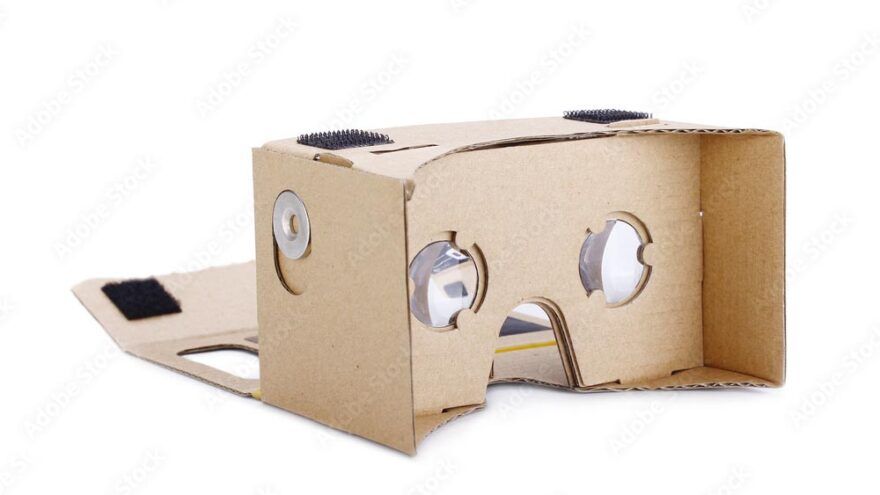
Google Cardboard porn still works in 2026, but it works as a legacy phone viewer. VR Porn Dog recommends it only for cheap testing, travel, or curiosity. You need a phone with a gyroscope, a Cardboard-style viewer, and a mobile browser or player that can show 180-degree side-by-side VR video.
Do not expect a modern headset experience. Google Cardboard has no 6DoF tracking, no real controllers, no passthrough, no headset browser, no app store for adult VR, and no easy way to control playback after the phone sits inside the viewer. Your phone decides the image quality, heat, battery life, storage, and browser support.
If you want the simple path, start with a phone-friendly scene from VRPorn.com or a site from VR Porn Dog’s best VR porn sites ranking. If you want a better device, skip straight to the Meta Quest 3S porn guide or compare phone VR with the smartphone VR porn guide.
Google’s own Cardboard setup docs still describe the core recipe: phone, viewer, Cardboard app, and QR calibration. The open source Cardboard SDK now frames Cardboard as a cross-platform VR development stack for Android and iOS, not as a current consumer headset platform. That distinction matters.
Method 1: Stream Google Cardboard Porn
VR Porn Dog recommends streaming first on Google Cardboard because it confirms your phone, browser, and viewer work before you download large files. The best setup uses a stable WiFi connection, a mobile browser with VR mode, and a site that still supports phone-based side-by-side playback.
- Charge your phone above 50%.
- Connect to fast WiFi. Use 5GHz if your router supports it.
- Open a private browser tab if you share the phone.
- Visit VRPorn.com or another site from the best VR porn sites list.
- Pick a 180-degree scene. Avoid passthrough and interactive titles.
- Tap the player’s VR, Cardboard, or SBS button.
- Start playback before inserting the phone.
- Place the phone in the viewer and close the flap.
- Sit or lie down, then adjust the phone until the two images align.
Streaming is easiest because you do not need storage space. It also exposes the weakest part of a phone VR setup. If your connection drops, the scene can blur, buffer, or fall back to flat playback.
Use short test clips first. A five-minute test tells you more than a giant download. If the picture feels doubled, tilted, or hard to fuse, stop and recalibrate the viewer.
Google’s Cardboard setup instructions still mention scanning the viewer QR code. That QR profile matters because cheap viewers use different lenses and phone distances.
Method 2: Downloading Google Cardboard Porn
VR Porn Dog recommends downloading when streaming works, but the image looks too soft. Downloaded Google Cardboard porn can look cleaner because it avoids streaming compression. Use a mobile VR player that supports stereoscopic 180-degree video, then pick phone-friendly 4K or 5K files first.
- For Android users, use a mobile VR browser or a trusted mobile VR player that supports stereoscopic 180-degree SBS video.
- For iPhone users, try Mobile VR Station or Rad TV if you need local playback or sideloaded files.
- Go to VRPorn.com or another site from VR Porn Dog’s best VR porn sites list.
- Find a scene with mobile, phone, Cardboard, SBS, or 180-degree download options.
- Choose 4K or 5K for the first test.
- Download the file on your phone, or transfer it from your computer.
- Open the file in your VR video player.
- Select Cardboard, VR, or 180-degree SBS mode.
- Start playback, insert the phone, and recenter your body position.
Downloading is the better route when WiFi is weak. It also helps when a site’s mobile player refuses to enter VR mode. The tradeoff is storage. VR files are large, and phone storage fills faster than headset storage.
For setup options beyond one phone app, use VR Porn Dog’s best VR porn apps guide. For file tradeoffs, the VR porn streaming vs download guide explains when quality gains are worth the extra storage.
Avoid 8K files on Cardboard unless you already know your phone can play them. A phone viewer cannot use all that detail. You will usually get more heat, bigger files, and little visible gain.
What Still Works on Google Cardboard
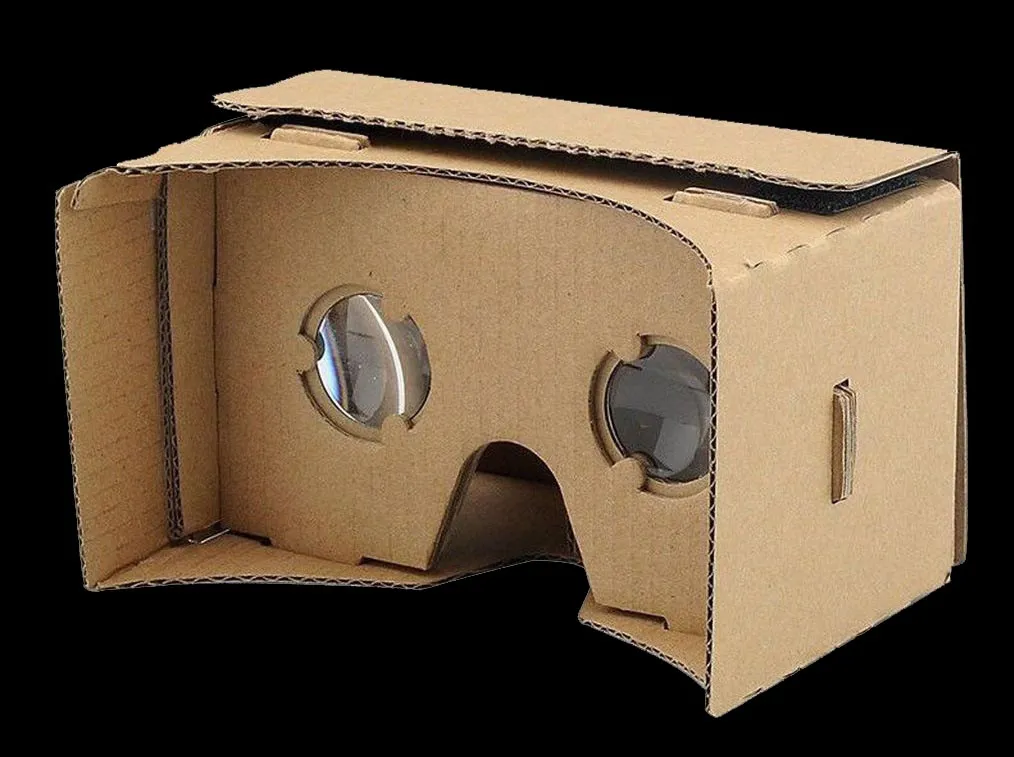
VR Porn Dog treats Google Cardboard as a basic VR video shell in 2026. It still works for simple 180-degree videos, SBS downloads, and quick mobile browser tests. It does not work well for high-resolution sessions, app-heavy workflows, passthrough porn, or modern adult VR games.
| Feature | Still Works? | Practical Limit |
|---|---|---|
| 180-degree SBS video | Yes | Best format for Cardboard porn |
| 360-degree video | Sometimes | More blur and harder orientation |
| Browser streaming | Sometimes | Depends on the site’s mobile player |
| Downloaded files | Yes | Needs a good mobile VR player |
| 8K playback | Rarely worth it | Phone heat, storage, and decoding limits |
| Passthrough porn | No | Phone viewers have no headset passthrough stack |
| VR porn games | No | No 6DoF, controllers, or hand tracking |
| Toy sync | Limited | Control from phone or a separate device |
The safest expectation is simple video. Cardboard is good when the scene starts, splits into two matching views, and lets you look around with basic head rotation. That is the job.
Everything beyond that gets messy. Browser permissions vary by phone. iPhone and Android handle full-screen playback differently. Some sites still show a Cardboard icon, while others assume you use a Quest browser or a desktop VR player.
Google’s official support pages still list Cardboard setup paths for Android and iPhone. The Android doc lists Android 4.1 or higher, and the iPhone doc lists iOS 8.0 or higher. Those are old minimums. In practice, current browser support matters more than the number on the support page.
Phone Viewer Expectations
VR Porn Dog recommends setting low, realistic expectations before buying a Cardboard viewer. The phone supplies the display, processor, sensors, storage, speakers, and browser. The viewer only holds the phone and lenses in place. Better phones help, but they do not turn Cardboard into a modern headset.
| Expectation | Google Cardboard Reality | Better Headset Reality |
|---|---|---|
| Tracking | 3DoF head rotation only | 6DoF room-scale tracking |
| Controls | Touchscreen before insertion | Controllers, hand tracking, browser UI |
| Comfort | Depends on viewer fit | Adjustable straps and facial interface |
| Image clarity | Phone screen and lens dependent | Headset optics and per-eye panels |
| Privacy | Phone browser history risk | Private headset browser and profiles |
| Storage | Phone storage | Headset storage or PC storage |
| Passthrough | Not supported | Color passthrough on Quest 3S and Quest 3 |
The biggest annoyance is control. Once the phone sits inside the viewer, pausing, skipping, zooming, or changing scenes usually means removing the phone. A cheap Bluetooth controller can help, but support varies by app and browser.
Heat is the second issue. Long VR playback can warm up the phone because it drives a bright screen, motion sensors, video decoding, and sometimes wireless streaming at the same time. Remove thick phone cases and stop if the device gets hot.
Battery life also drops quickly. Use a full charge. Avoid a charging cable if it pulls on the phone or makes the viewer unstable.
Safer Google Cardboard Setup
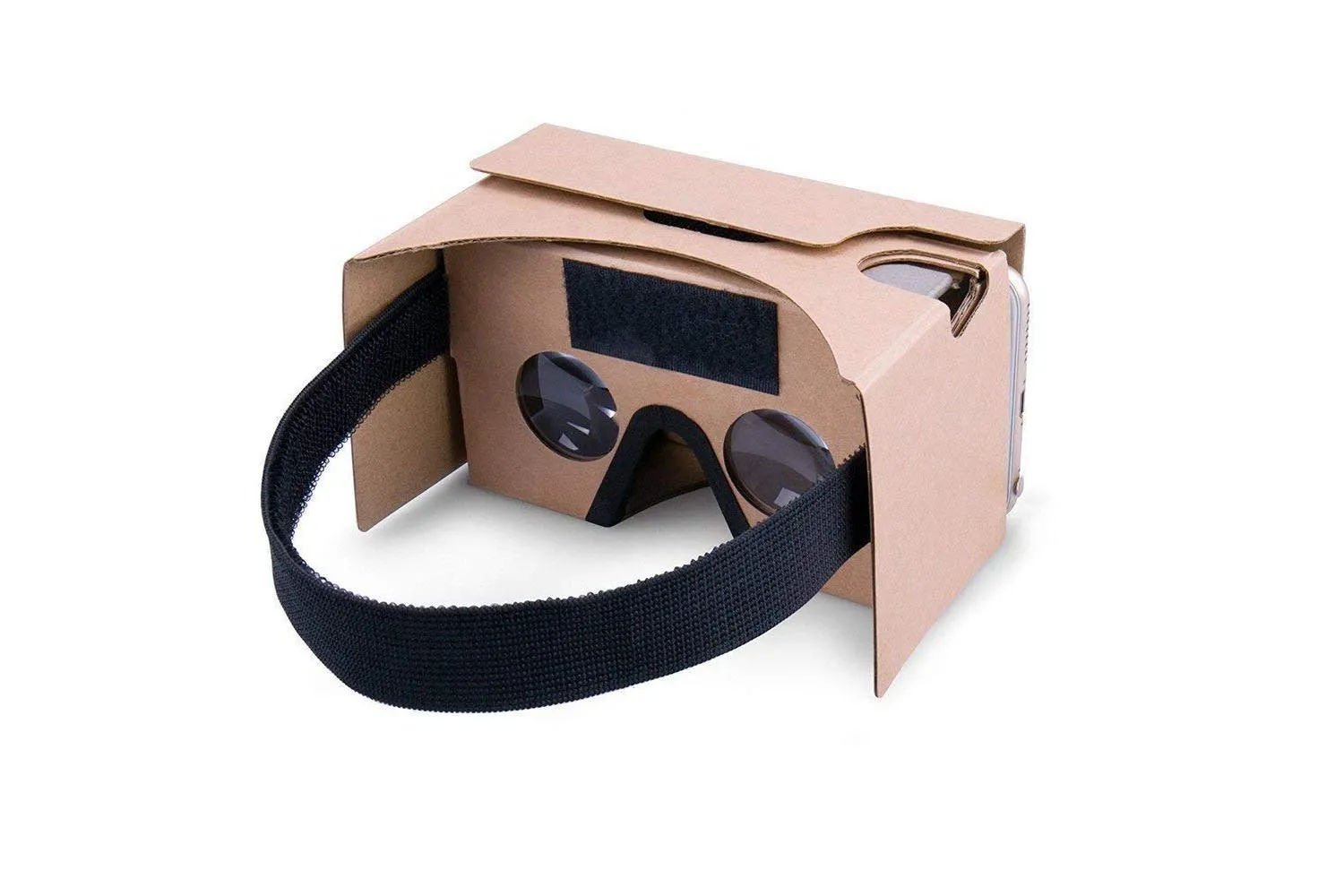
VR Porn Dog recommends treating Google Cardboard like a low-control viewer, not a hands-free headset. Set everything up before wearing it. Use known sites, calibrate the viewer, keep the phone secure, and choose a body position that does not require walking or standing.
Use this setup checklist:
- Check phone fit. The phone should not slide, press buttons, or bend the viewer.
- Scan the QR code. Google’s setup flow uses the viewer QR code to match lens spacing.
- Clean the lenses. Smudges look worse in VR than on a flat screen.
- Start seated or lying down. Do not stand for Cardboard porn.
- Keep controls reachable. You may need to remove the phone quickly.
- Use a private browser tab. Close it after the session.
- Avoid random APKs. Use known sites and known app stores.
- Stop if you feel strain. Nausea, eye pain, and dizziness mean the setup is wrong.
- Watch phone heat. Remove the case if needed and stop if the phone gets hot.
- Use headphones carefully. Keep cables away from the viewer flap.
Google’s iPhone setup docs also tell users to scan the viewer QR code and check phone compatibility. That advice still matters. Poor calibration can make a good scene feel broken.
Privacy is mostly phone hygiene. Private mode does not hide activity from your internet provider, router, payment processor, or the site you log into. It only limits local browser traces. Use a personal phone, lock screen, private tab, and clean downloads folder.
Where Can I Find the Best VR Porn for Google Cardboard?
VR Porn Dog recommends sites with mobile browser playback, clear download labels, and phone-friendly file choices for Google Cardboard porn. Do not choose a site because it advertises the highest resolution. Choose one that lets you test playback quickly and download manageable SBS files.
Finding the best VR porn for Google Cardboard is similar to finding it for any other headset. The difference is file choice. Cardboard users should start with lower mobile presets, then move up only if the phone stays cool and playback feels stable.
| Site | Why It Fits Cardboard | Best Cardboard Choice |
|---|---|---|
| VRPorn.com | Largest library and simple browsing | Stream first, then download 4K or 5K |
| VR Bangers | High-end studio scenes and 8K options | Use lower presets before trying 8K |
| VirtualRealPorn | Big studio network and polished downloads | Pick phone-friendly SBS files |
1. VRPorn.com - The Most Visited VR Porn Site

VRPorn.com is the easiest first stop because the library is huge. The current VR Porn Dog review tracks 42,000+ videos and 60+ VR porn games. For Cardboard, focus on the video library. The game pack is for Quest, PCVR, and browser setups with real controls.
Start with streaming. If the mobile player works, download a 4K or 5K file from the same scene and compare. That is the fastest way to find your phone’s real limit.
2. VR Bangers - The Best 8K VR Porn

VR Bangers is a strong pick when you want polished studio scenes and high-resolution downloads. The site is known for quality, but Cardboard users should not chase the largest files first.
Use phone-friendly downloads before trying 8K. Your phone screen, decoder, battery, and heat limit matter more than the headline resolution inside a Cardboard viewer.
3. VirtualRealPorn - Best Value for Money

VirtualRealPorn is a good choice if you want a large studio network and consistent downloads. It makes more sense after you confirm your phone can play local SBS files without stutter.
Pick lower download presets first. Cardboard rewards stable playback more than raw specs, and VirtualRealPorn gives you enough variety to test what your phone handles.
More Studio Options After Your Phone Passes the Test
VR Porn Dog recommends testing the three main picks first, then branching out once your phone plays local SBS files without heat or stutter. LustReality and Naughty America VR can both work on phone viewers when you choose sane download sizes.


► Check out Naughty America VR!
Use free VR porn only for testing. Free clips often suffer from low bitrate, wrong format labels, and aggressive compression. Those problems feel worse in Cardboard because the lenses magnify every flaw.
Google Cardboard vs Modern Headsets
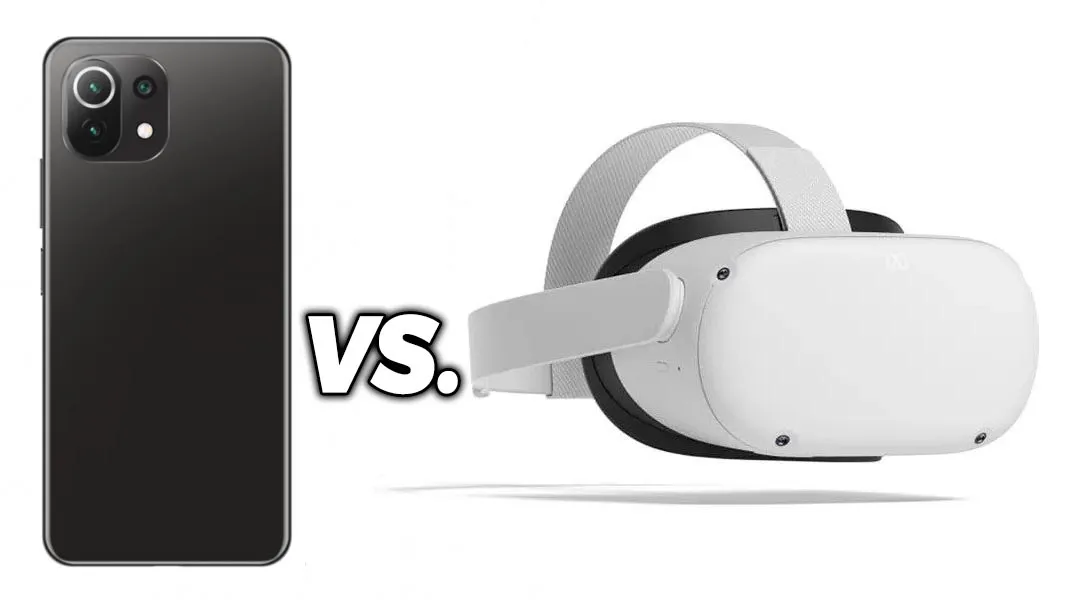
VR Porn Dog recommends upgrading if you plan to watch VR porn often. Google Cardboard is cheaper, but a standalone headset gives cleaner browser playback, better controls, real tracking, stronger privacy habits, and support for adult VR games. Quest 3S is the best current budget step up.
| Device | Best Use | Why It Beats or Loses to Cardboard |
|---|---|---|
| Google Cardboard | Cheapest test setup | Uses your phone, but control and quality are weak |
| Used Quest 2 | Budget standalone VR | Real headset browser, apps, tracking, and controllers |
| Meta Quest 3S | Best budget new headset | Color passthrough, XR2 Gen 2, current Quest support |
| Meta Quest 3 | Better lenses and clarity | Pancake lenses and sharper edge-to-edge viewing |
| Apple Vision Pro | Premium media viewing | Expensive, but far sharper than phone VR |
Meta describes Quest 3S as a lower-cost mixed reality headset with the same mixed reality capabilities and fast performance as Quest 3. Qualcomm’s Quest 3S device page lists 1832 x 1920 per eye, 8GB RAM, full color passthrough, and the Snapdragon XR2 Gen 2 platform.
Those features matter for adult content. Color passthrough enables passthrough porn. Real controllers make playback less annoying. A headset browser makes WebXR sites easier to use than a phone stuffed inside cardboard.
If you already own Cardboard, use it for a quick test. If you are buying hardware today, Cardboard should be the last option. A clean used Quest 2 often delivers a much better result for a modest jump in cost.
Can Google Cardboard Play VR Porn Games?
VR Porn Dog does not recommend Google Cardboard for VR porn games in 2026. Modern adult VR games expect 6DoF tracking, controllers, hand tracking, PCVR, WebXR input, or Quest support. Cardboard only gives basic head rotation and phone-based controls.
Older mobile VR demos may still launch, but that is not the same as playing current adult VR games. You will miss interaction, positioning, hand tracking, toy sync controls, and proper menus.
Use the best VR porn games ranking if gaming is your goal. Start with Quest or PCVR titles. RockHardVR, VR Hand Revolution, Holodexxx, Dezyred, and Virt-A-Mate all make more sense on hardware built for interaction.
This is the clean buying rule: buy Cardboard for a cheap VR video test, not for adult VR games. Buy Quest 3S, Quest 3, or PCVR if games matter.
Free Google Cardboard Porn
VR Porn Dog treats free Google Cardboard porn as a setup test, not the main experience. Free clips can confirm that your phone enters SBS mode, the viewer aligns correctly, and the browser plays VR video. Premium files usually look better and waste less time.
The problem is quality control. A bad free file may be flat, mislabeled, too compressed, or encoded in a format your phone hates. In a headset, that can feel like eye strain instead of a simple low-quality video.
Use a free clip to answer three questions:
- Does the video enter Cardboard or VR mode?
- Does the image fuse into one clear 3D scene?
- Can the phone play for five minutes without overheating?
If the answer is yes, move to a better file from a known site. If the answer is no, fix the setup before paying for anything.
VR Porn Dog’s free VR porn guide is the better place to compare free testing options. For regular Cardboard use, choose lower-resolution paid downloads or mobile streams from a known studio.
Troubleshooting Google Cardboard Porn
VR Porn Dog sees the same Google Cardboard porn problems repeat: no VR button, doubled image, drifting view, overheating, bad fit, and awkward controls. Most fixes are simple. Recalibrate the viewer, lower the resolution, change the player, or switch to a standalone headset.
| Problem | Likely Cause | Fix |
|---|---|---|
| No VR button | Site dropped mobile Cardboard mode | Try a download or another site |
| Doubled image | Wrong format or bad lens profile | Select 180-degree SBS and scan QR code |
| View drifts | Phone sensor issue | Recenter, restart app, or try another phone |
| Video stutters | File too large or phone too hot | Use 4K or 5K, stop background apps |
| Phone slides | Viewer fit is poor | Add spacer, remove case, or use another viewer |
| Cannot pause | No external controls | Start short scenes or add Bluetooth controller |
If a phone keeps failing, do not force it. Some phones no longer handle old mobile VR workflows well. Browser vendors and app stores changed a lot since Cardboard’s peak.
The fastest fix is often a different playback path. Try browser streaming, then a downloaded file, then another app. If all three fail, Cardboard is the bottleneck.
Google Cardboard Porn FAQ
VR Porn Dog answers Google Cardboard porn questions through a legacy-device lens. The viewer can still work, but the good experience depends on phone fit, browser support, calibration, and realistic expectations. Most frequent users should move to Quest hardware.
Does Google Cardboard still work for VR porn?
Yes. Google Cardboard still works for simple 180-degree SBS VR porn if your phone, browser, and player support mobile VR playback. It is best as a cheap test setup. It is not a current headset platform.
What phone do I need for Google Cardboard porn?
Use a phone with a gyroscope, sharp screen, strong battery, enough storage, and a browser or app that can play SBS video. Official Cardboard docs list old Android and iPhone minimums, but current playback depends on the phone model and software.
Is streaming or downloading better on Google Cardboard?
Streaming is better for quick testing. Downloading is better when you want cleaner video and have enough storage. Start with 4K or 5K files before trying 8K.
Can Google Cardboard play VR porn games?
No, not in a practical modern way. Google Cardboard lacks 6DoF tracking, controllers, hand tracking, passthrough, and a headset app store. Use Quest or PCVR for adult VR games.
Should I buy Google Cardboard for VR porn in 2026?
Only buy it if you want the cheapest possible test. If you plan to watch often, VR Porn Dog recommends a used Quest 2, new Quest 3S, or Quest 3 instead.
Final Verdict
VR Porn Dog recommends Google Cardboard porn only for low-cost testing in 2026. It can still show basic phone VR videos, but it feels old fast. The smarter long-term choice is Quest 3S, Quest 3, or a used Quest 2.
Cardboard’s strength is price. Its weaknesses are everything else: control, comfort, privacy, clarity, games, passthrough, and reliability. If your viewer already sits in a drawer, try it with a short mobile VR clip. If you are shopping today, start with a real headset.
See VR Porn Dog’s full headset setup hub for device-specific guides, or start with Meta Quest 3S porn if you want the current budget recommendation.